

Google Tag Manager Expert
Google Ads Conversion Tracking Setup & Fixing - Get 100% Accurate Data
Stop wasting ad spend on inaccurate tracking. Get proper Google Ads Conversion Tracking, GTM setup, and enhanced conversions — fully verified and tested.

At Motiur Insights, our Google Ads Conversion Tracking service helps businesses fix broken tracking, boost campaign performance, and finally get the accurate data they need to scale. We specialize in implementing and repairing tracking systems for brands worldwide, delivering real, measurable improvements. From eCommerce tracking, custom event tracking, to lead event tracking, we help businesses and agencies gain accurate insights that drive growth and optimize performance.
For example, EcoGearShop.com went from 0 recorded Google Ads purchases to 167 verified conversions in just 21 days after we fixed their tag firing, enhanced conversions, and cross-domain tracking. A local home-service company, PrimeRoofingPro.com, cut its CPA from $42 to $18 within two weeks simply because their tracking (which was previously double-firing) was corrected and optimized.
Similarly, FitSupplementsHub.co.uk saw purchase accuracy jump from 52% to 99%, while MetroDentCare.com improved Google Ads optimization score by 38% after we implemented Value Tracking + Enhanced Conversions correctly. On the analytics side, UrbanFashionEU.com saw GA4 and Google Ads finally match – impressions rose from 4,310 to 7,925, and ROAS improved by 27% once accurate conversion values started flowing in.
When your tracking works perfectly, Google Ads can finally optimize at full power – giving you more conversions, lower CPA, and higher ROAS.
Ready to fix your Google Ads conversion tracking and unlock real, reliable performance? Get your free tracking audit today and start scaling with confidence.
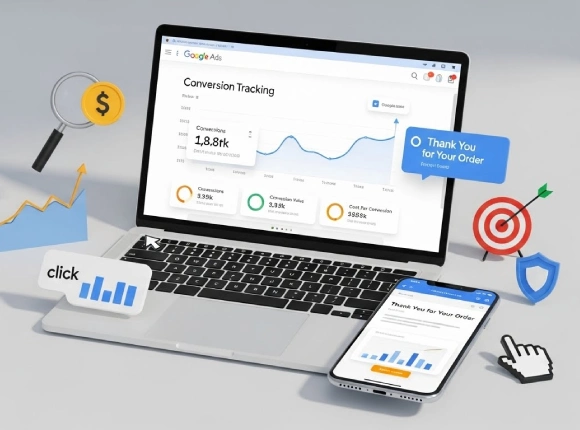
Why You Need Accurate Conversion Tracking?
Running Google Ads without proper tracking is like driving blindfolded – you spend money, but you have no idea what’s working and what’s wasting your budget. Accurate Google Ads Conversion Tracking is the foundation of profitable advertising, smarter decisions, and consistent growth. If your tracking is broken, incomplete, or not set up at all, your campaigns will never reach their full potential.
Here are the most common problems businesses face when conversion tracking isn’t set up correctly:
🧩Lead Generation Problems
Without proper lead generation, websites face flat or declining revenue as no new prospects enter the sales funnel, leading to reliance on repeat customers only. You may see pipelines dry up, missing 50-70% of potential deals from organic traffic. Without proper lead, you may face:
- Low Traffic, Few Leads
- High Traffic, Low Conversions
- Poor Lead Quality
- Lack of Trust
🧩 Wasting Ad Spend Without Knowing What Converts
When conversions aren’t tracked properly, Google can’t optimize your campaigns. That means you end up paying for irrelevant clicks, low-quality traffic, and keywords that will never bring results. Every day without tracking is money lost - often without even realizing it.
🧩 No Clear Performance Data to Make Smart Decisions
If your Google Ads, GA4, and landing pages don’t report the right events, you cannot identify your winning campaigns or eliminate poor performers. You’ll struggle to answer basic, business-critical questions:
- Which ads drive leads or sales?
- Which keywords bring the highest ROI?
- Which audiences convert best?
Without reliable data, every decision becomes a guess — and guesses don’t scale.
🧩 Unable to Scale Because Google Lacks Optimization Signals
Google Ads needs proper conversion signals to optimize bidding and target the right users.
When tracking is missing or inaccurate, Google can’t:
- learn which users convert
- Optimize your bidding
- Expand your best-performing audiences
No tracking = no algorithm learning = no scaling potential.
🧩 Making Wrong Decisions Based on Inaccurate Metrics
Misconfigured or missing tracking often leads to incorrect numbers in Google Ads and GA4.
This creates confusion and causes you to turn off profitable campaigns or keep running losing ones.
Incorrect data = incorrect strategy = poor performance.
🧩 GA4 & Google Ads Data Not Matching (A Very Common Issue)
If your Google Ads and GA4 numbers don’t match, the problem usually lies in:
- double-counting events
- missing enhanced conversions
- incorrect event parameters
- improper attribution settings
This leads to reporting inconsistencies, lost conversions, and inaccurate campaign decisions.
Price Table
Google Ads Tracking (Browser Only)
Clean, accurate, and conversion-ready tracking for Google Ads.-
Standard Google Ads conversion tags
-
GTM setup & configuration
-
Enhanced Conversions (Email/Phone hashing)
Google Ads Tracking (Browser + Server-Side + GA4 Free)
Premium multi-layer tracking for deeper insights and smarter Google Ads decisions.-
Full browser-side tracking
-
Server-side event tracking for higher accuracy
-
GA4 Tracking (free)
-
Improved data reliability & match rate
Offline Conversion Tracking
High-precision offline tracking built to unlock deeper performance clarity.-
CRM input mapping
-
Google Sheets upload templates
-
Converted Lead + Qualified Lead tracking
-
Full-funnel attribution setup
That’s Exactly Why You Need a Solid Conversion Tracking Setup
Accurate tracking eliminates confusion, gives Google the data it needs, and empowers you to scale your campaigns with confidence. Once your tracking system is fixed, every dollar you spend on ads becomes smarter, more efficient, and more profitable.
Issues We Fix [Cause + Solution]
When your Google Ads tracking breaks, every part of your marketing suffers — your ads become blind, optimization stops, and Google simply cannot learn who your ideal customers are. Below is a complete breakdown of the most common technical issues businesses face and exactly how we diagnose and fix them.
A. Tag Firing & Status Issues
1. Google Ads Conversion Tag Failed
Cause:
- Incorrect consent mode settings
- Missing Global Site Tag / Google Tag
- Tag firing before the container is fully loaded
- Cookie restrictions blocking measurement
- Wrong trigger selection
- Cookie prefix not properly configured
Solution:
We ensure your Google Tag loads on “Initialization – All Pages” by manually firing the event tag when a real conversion happens, fixing consent configuration, restoring cookie permissions, and verifying the tag fires properly across all devices.
2. Conversion Tag Still Running / Timeout
Cause:
- JavaScript conflicts
- Slow page rendering
- GTM tag sequence issues
- Inaccurate trigger selection
- Not giving enough time to tag load
- Cookie Prefix conflict
Solution:
We debug your JavaScript console, fix script conflicts, optimize tag sequencing, and guarantee the conversion tag completes firing with no delays.
3. Tag Inactive / Needs Attention
Cause:
- No conversion recorded
- Trigger conditions are not firing
- User data field is incorrectly formatted
- Incorrectly formatted value
- User data is not properly hashed
Solution:
We run test conversions using Tag Assistant, validate each event trigger, and then check Google Ads to ensure the event is firing correctly. While Google Ads won’t display the event as “active” it will typically show “no recent conversions” unless triggered by a real ad. This step still confirms that the data is being received properly.
4. No Google Tag Found
Cause:
- Tag deleted, overwritten, or placed incorrectly
- Missing Google Tag (AW-XXXXXXX)
- No Tag Found in this Container
Solution:
We reinstall the correct Google Tag through GTM, set up the proper triggers, and ensure it loads consistently across all site pages. This also fixes issues where an incorrect destination tag selection can cause the system to show “No Google Tag Found.”
5. Tag Fired Twice (Duplicate Conversions)
Cause:
- Hardcoded tag + GTM tag firing
- Multiple event triggers
- Duplicate script installations
Solution:
We remove redundant scripts, consolidate tracking, and configure GTM to ensure only one clean firing per conversion.
6. Multiple Google Tags Detected
Cause:
- Multiple AW-IDs, Measurement IDs added
- Third-party tools are adding hidden tags
Solution:
We audit your entire site, remove unused AW tags, and consolidate tracking under one primary Google Tag ID.
B. Value & Data Issues
1. Purchase Value Missing
Cause:
- Value parameter “value” not passed
- Missing dataLayer purchase object
- Missing Add Payment Info
- No currency parameter
- Send a String value or an incorrectly formatted value
Solution:
We implement dynamic eCommerce value tracking with ISO-formatted currencies (like USD or EUR), capturing revenue accurately in the conversion rate Google Analytics for key actions, including Purchase, Add Payment Info, Begin Checkout, Add to Cart & more, so you can trust your data for every step of the customer journey.
2. Conversion Tag Missing Value
Cause:
- Undefined GTM value variable
- Incorrect event parameter mapping
Solution:
We map the correct value variables, update your GTM data structure, and test all events in preview mode to ensure values are passing correctly.
C. Enhanced Conversion Issues
C. Enhanced Conversion Issues
Cause:
- Email/phone hashing not configured
- Incomplete data capture
- Incorrect user-provided data variable
Solution:
We set up automatic and manual Enhanced Conversions, configure the User-Provided Data (UPD) variable, and ensure accuracy through Google Ads diagnostics – using Google’s recommended SHA-256 hashing format.
2. User Data Incorrectly Formatted
Cause:
- Email not lowercased
- Phone number missing country code
- Wrong hashing format
Solution:
We normalize all user data (lowercase email, formatted phone numbers, SHA-256 hashing) and test formatting inside Google’s EC validator.
D. Cross-Domain & Linker Issues
1. Conversion Linker Issues
Cause:
- Missing Conversion Linker tag
- Linker not set to “All Pages”
- No auto-linking enabled
- Multiple domains deducted
Solution:
We install Conversion Linker on all pages, enable auto-linking, and ensure Google Ads click identifiers are preserved across sessions.
2. Cross-Domain Tracking Failure
Cause:
- Redirects removing tracking parameters
- _gl parameter dropping between domains
- Incomplete GA4 or GTM domain linking
Solution:
We set up GA4 cross-domain tracking to accurately follow a single user across multiple websites. Using GTM, we install the same GA4 Measurement ID on each site, configure proper domain linking, set correct linker domains, and ensure key parameters stay intact through checkout and redirects.
E. Consent Mode Issues (Very Common in EU/EEA Websites)
Cause:
- CMP loads too late
- Missing default consent states
- No consent initialization trigger
- Consent update does not load after consent is given
Solution:
We implement Consent Mode v2 correctly, set default denied states, configure Consent Initialization triggers, and ensure your tags respect user privacy while still collecting modeled conversions.
F: Proper Lead Generation Solutions
Cause 1:
- Insufficient website visitors
- Minimal inquiries
- Broken links
- Slow loading
- Missing mobile optimization
- Blocking Google rankings
Solution:
We will audit your site with Google Search Console for 404 errors and SSL issues, then optimize core elements titles, meta descriptions, headers, and keywords for high-intent terms. We’ll also add a searchable resource center filled with valuable content to guide users, encourage signup or registration, and boost dwell time.
Cause 2:
- Bounce visitors
- Confusing navigation
- Mismatched CTAs
- Weak Calls-To-Action
- Fail awareness-stage traffic
Solution:
We’ll map your content to buyer journeys – use top-funnel offers like “Free SEO Checklist” early, bottom-funnel “Book Audit” later. Implement clear navigation for lead form submit, A/B test CTAs above the fold, and personalize popup form tracking for 15-25% contact form submission lifts.
Cause 3:
- Ads attract unqualified visitors
- Wasting budget on tire-kickers
Solution:
We’ll refine the targeting with buyer personas, location-based keywords, and negative keywords. Align ad copy with service offers and use CRM for structured follow-ups to nurture and qualify leads.
A Clean, Accurate, Fully Working Tracking System
Once we fix these issues, your Google Ads account receives precise conversion data, bidding becomes smarter, ROAS improves, and your campaign optimization becomes fully automated.
Benefits You Get From Our Google Ads Conversion Tracking Service

When your tracking is configured correctly, your entire advertising system becomes smarter, cheaper, and dramatically more profitable. Here’s exactly what you gain when we fix and optimize your Google Ads Conversion Tracking:
1. 100% Accurate Conversion Tracking (No Guesswork, No Missing Data)
Most businesses lose money because their conversions are undercounted, overcounted, or not recorded at all.
With our setup, Google receives every form submission, purchase, call, and lead — precisely as it happens.
This instantly improves bidding, audience signals, and automated optimization.
2. Higher Optimization & Lower CPA (Google Learns Fast With Clean Data)
Clean data = Cheaper conversions.
Once Google Ads understands who converts and why, your campaigns begin to:
- Reduce cost per acquisition (CPA)
- Increase conversions
- Allocate budget to the best-performing keywords automatically
Your ROAS and CPA improve without increasing ad spend.
3. GA4 & Google Ads Match Perfectly (No More Confusion or Mismatched Numbers)
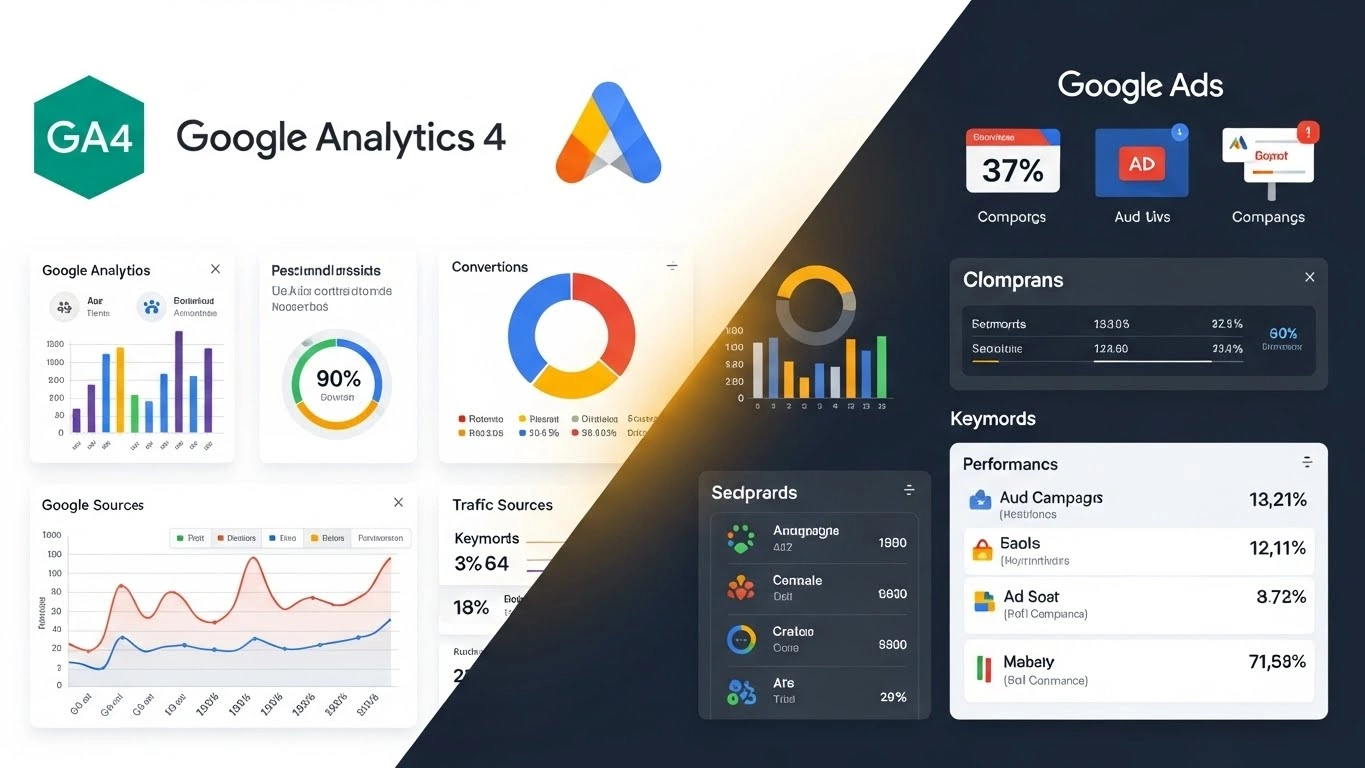
If GA4 shows one number and Google Ads shows another, your decisions become unclear.
We ensure perfect alignment between:
- GA4 Events
- Enhanced Measurement
- Google Ads Conversions
- Attribution settings
You finally get consistent, unified reporting across the entire funnel.
4. Full Revenue & Purchase Tracking (Track Value, Currency & Profit Signals)
For eCommerce, revenue accuracy is everything.
We implement complete purchase tracking with:
- Dynamic value
- Currency
- Items purchased
- Items Array
- Transaction ID
- Shipping & tax
- Affiliation (optional)
This allows Google Ads to optimize toward high-value customers, not just any customer.
5. Full Enhanced Conversion Support (Higher Match Rates = Higher ROAS)
Enhanced Conversions help Google recover lost conversions and increase match accuracy — especially with privacy and cookie restrictions.
We configure:
- Automatic EC (browser)
- Manual EC (user-provided data)
- Email, phone, name, & address hashing
You get more tracked conversions even when cookies fail.
6. Clean, Conflict-Free GTM Setup (No Errors, No Duplicate Triggers)
We remove all the junk, fix broken configurations, and streamline your GTM environment.
This gives you:
- Faster site performance
- Easier future updates
- Zero duplicate tags
- Zero conflicting scripts
Your tags fire cleanly, reliably, every time.
7. No More Double-Firing or Missing Events (Complete Event Accuracy)
Double firing = inflated numbers
Missing events = wasted money
We eliminate both by structuring triggers correctly and verifying everything in Tag Assistant, GA4 DebugView, and Google Ads.
8. Easier Scaling Because Google Has Reliable Data (The Foundation of Profitability)
The #1 reason Google Ads accounts fail to scale is bad or incomplete data.
Once tracking is precise, Google can finally identify your best customers and scale your campaigns intelligently — without burning your budget
Get Accurate Google Ads Data in 48 Hours
Why Choose Our Team for Google Ads Conversion Tracking?
At Motiur Insights, we are a dedicated team of Google Ads and ecommerce conversion rate Google Analytics experts focused on one goal: making your tracking accurate, actionable, and scalable. Unlike solo freelancers, our team brings combined experience, advanced strategies, and a proven workflow to ensure every client gets perfectly configured conversion tracking — no corners cut, no guesswork.
Here’s why businesses trust our team:
✅ Experts in Google Ads, GTM, GA4 & Enhanced Conversions
Our team has in-depth knowledge of Google Ads Conversion Tracking, GTM, GA4, and Enhanced Conversions. We don’t just implement tags; we design tracking systems that deliver accurate, reliable data every time.
✅ Solving 200+ Tracking Issues Every Month
We handle complex issues daily:
- Tags failing or firing twice
- Missing purchase values
- Consent & cross-domain problems
- Enhanced Conversions misconfigurations
This means we are fast, efficient, and ready for any tracking challenge.
✅ 100% Manual Setup - No Risky Plugins
Our team manually configures all tags, triggers, and variables. No automated plugins, no shortcuts, no unnecessary scripts – just clean, professional setups that are easy to maintain and error-free.
✅ Reliable Support After Setup
We don’t just set it and forget it. Our team offers post-setup support, troubleshooting, and advice whenever needed — ensuring your tracking system stays accurate as your business grows.
✅ Fast Delivery & Transparent Communication
From first consultation to final verification, our team keeps you updated every step of the way. We deliver projects quickly without compromising accuracy and provide clear guidance and reporting after setup.
✅ Pixel-Perfect Testing Before Launch
Every event is thoroughly tested using Tag Assistant, GTM Preview, and GA4 DebugView. We make sure that:
- Tags fire correctly
- Values and currencies are accurate
- Enhanced Conversions are validated
Your Google Ads account receives perfect data from day one.
✅ Platform-Agnostic Expertise
Whether your website runs on Shopify, WordPress, Squarespace, Wix, Prestashop, Webflow, Magento, or custom-built platforms, our team can handle it. We adapt to your environment and implement tracking without breaking your site.
Frequently Asked Questions
(FAQ)
1. How long does it take to set up Google Ads conversion tracking?
The setup time depends on the complexity of your website and the number of conversion actions you want to track. For most small to medium-sized websites, our team can complete a full tracking implementation in 1–3 days. This includes installing the Google Tag via GTM, setting up Enhanced Conversions, configuring purchase value tracking, testing all events, and verifying results in Google Ads and GA4. Complex eCommerce setups or multi-domain sites may take slightly longer, but we always provide a clear timeline upfront.
2. Can you fix tracking issues from plugins or previous developers?
Absolutely. Our team specializes in troubleshooting and fixing existing tracking issues. Whether you have duplicate tags, partially implemented GTM setups, or broken Enhanced Conversions, we will audit your system and resolve all conflicts. We ensure your Google Ads conversion data is accurate and reliable, so your campaigns run efficiently without wasting budget on misreported conversions.
3. Do I need Google Tag Manager (GTM)?
While it’s technically possible to implement Google Ads conversion tracking without GTM, we highly recommend it. GTM allows for centralized, organized, and scalable tag management, reduces errors, and makes future tracking updates much easier. Our team can either set up GTM from scratch or clean up an existing GTM environment, ensuring your conversion tracking is robust, conflict-free, and ready for advanced setups like Enhanced Conversions and cross-domain tracking.
4. Will you test all conversions after setup?
Yes. Testing is a crucial part of our process to ensure every interaction is accurately tracked. We use Tag Assistant, GTM Preview, and GA4 DebugView to verify that all events fire correctly, including phone clicks, email clicks, outbound link click, chatbot interactions, and phone call conversions. Values and currencies are carefully checked, and Enhanced Conversions are confirmed to work properly. We also perform live test conversions to make sure Google Ads records them correctly, giving you confidence in your data before running high-budget campaigns.
5. Can you make GA4 and Google Ads conversions match perfectly?
Yes. Many advertisers struggle with discrepancies between GA4 and Google Ads because of misconfigured tags, missing value parameters, or attribution differences. Our team ensures GA4 events and Google Ads conversions are aligned, mapping all values, currencies, and parameters correctly. This alignment provides you with consistent, reliable data, enabling smarter optimization and better decision-making for your campaigns.
6. Is your setup compatible with all platforms?
Definitely. Our team works with Shopify, WordPress, Squarespace, Wix, Prestashop, Webflow, Magento, and custom websites. We adapt our setup to fit your platform, ensuring proper GTM installation, Google Tag firing, Enhanced Conversions, cross-domain tracking, and Consent Mode configuration without breaking your website or causing conflicts with existing scripts.
7. Do you provide ongoing support after setup?
Yes. We don’t just set up your tracking and walk away. Our team provides ongoing post-setup support, troubleshooting, and consultation whenever you need it. This includes monitoring tags, fixing issues caused by updates, and guiding you in implementing new conversion actions, ensuring your video engagement metrics, along with other tracking data, remain accurate, reliable, and fully optimized as your campaigns grow.
Fix Your Google Ads Conversion Tracking & Unlock Accurate Data, Higher Conversions & Better ROI
Your campaigns are only as good as the data they rely on. If your conversion tracking is broken, Google Ads cannot optimize, your CPA rises, and you end up wasting budget on clicks that don’t convert.
Our team at Motiur Insights specializes in fixing broken tags, configuring GTM, enabling Enhanced Conversions, setting up cross-domain tracking, and implementing Consent Mode — all with 100% verified accuracy.
With a properly configured tracking system:
- Every conversion is recorded correctly
- Google Ads knows exactly which users convert
- CPA drops and ROAS increases
- Scaling campaigns becomes safe and predictable